My Role
Project
Overview
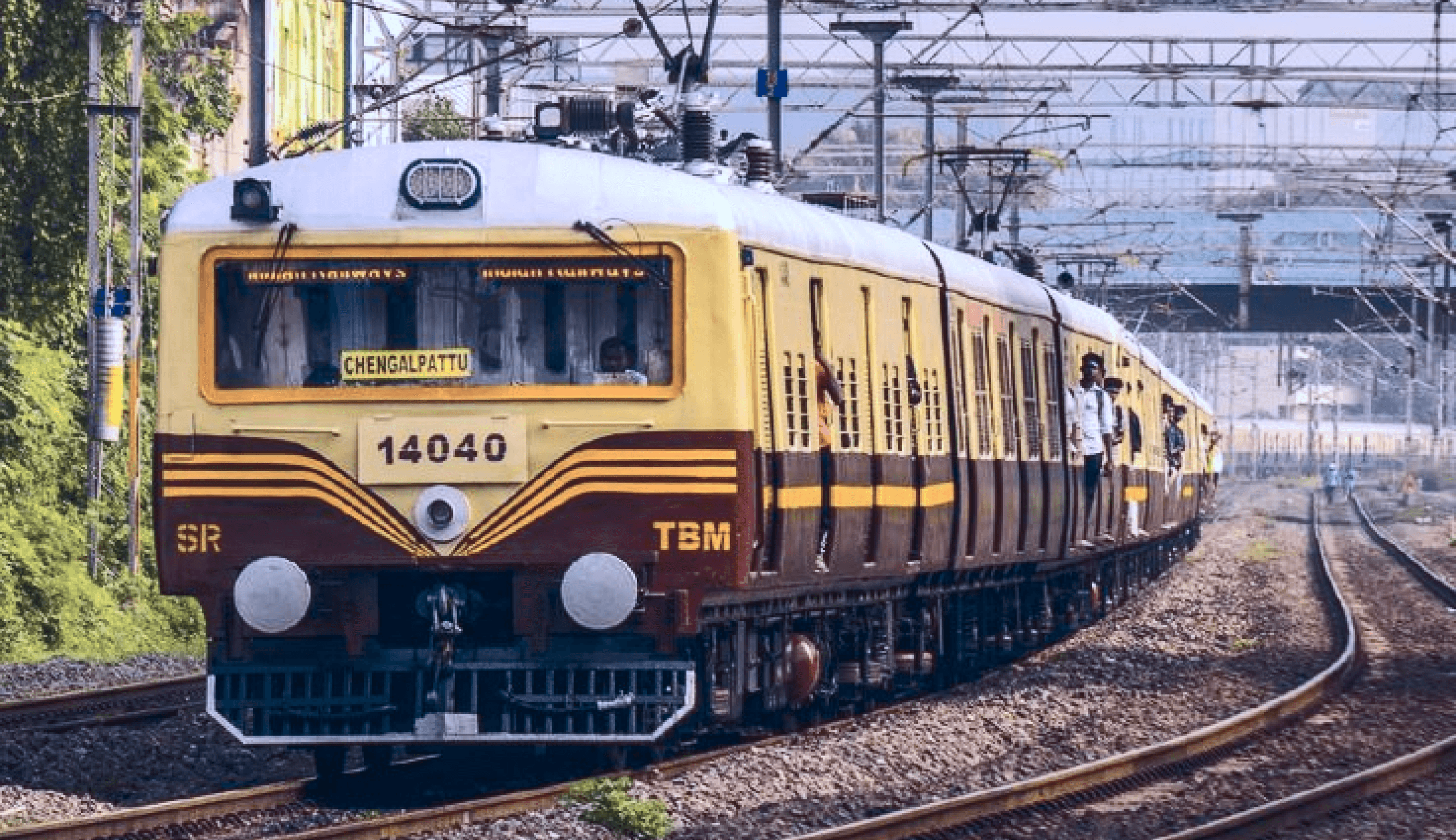
We all know the UTS app, launched by Indian Railways in December 2014. Today, millions of commuters use it for their daily train travel. I have also started using it for my daily trips between home and office.
But here’s the question:
Is the app really convenient?
Do people enjoy using it every day?
From my experience, the answer is no — it can be frustrating, confusing, and difficult to use at times. Even I have faced many issues with the app. If you are a local train commuter, you may have heard this announcement in the train.
But in reality, when I need to book a ticket quickly, the app can be very frustrating:
Errors keep appearing during booking (GPS).
No proper confirmation after payment (I often have to close and reopen the app to check my ticket).
And the payment process is long, slow and Confusing.
It was difficult to navigate when I used it for the first time in an urgent situation.
Finally, the interface is hard to understand.
In these moments, it often feels easier to just go to the ticket counter (I mean it).
I wonder how Indian Railways uses the UTS app to improve operational efficiency, drive digital adoption, achieve modernization goals, boost customer satisfaction, and reduce revenue leakage. As I explored, I realized that the Railways does not completely rely on the app yet, but commuters can still buy tickets at physical counters, so the immediate business impact is limited.
However, for the future goal of full digital adoption and to make Indian Railways completely digital, there is a clear need to rewire the app to the better usability.
Research
Methods
I wondered if I was the only commuter struggling with the UTS app, or if thousands faced the same frustrations to find out, I explored the problem space using three research methods Secondary, usability testing and User interview.
Secondary Research
I began by exploring secondary sources:
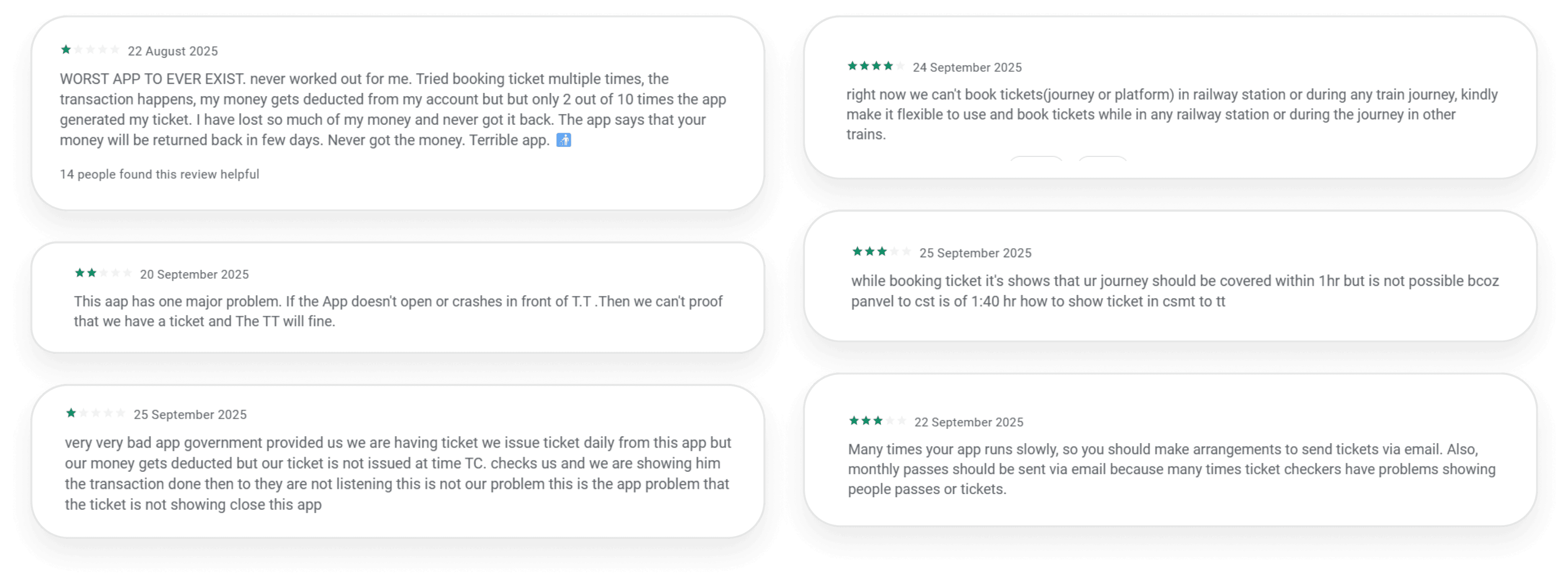
App Store & Play Store reviews: Hundreds of user reviews revealed recurring frustrations.
Online forums and discussions: Commuters shared real struggles and workarounds.
Usability Testing (Existing Flow)
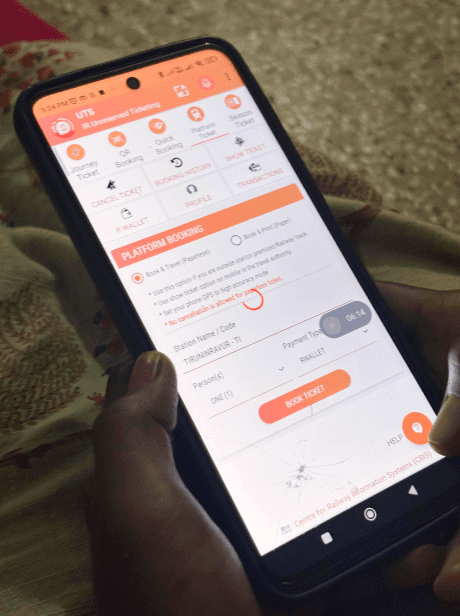
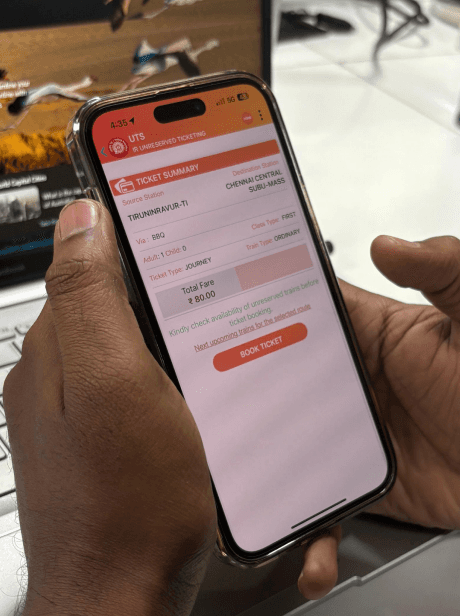
Conducted light usability testing with 8 real users (Including 3 new users) to observe how they interact with the current UTS app and where they face difficulties.
For the usability testing, we focused on the key actions that most daily commuters perform in the UTS app.
Login
Registration
Ticket Booking
Monthly Pass Renewal and
Wallet Recharge.
These tasks were selected because they represent the core journey where users face the most friction, helping us identify real usability gaps that impact everyday travel.
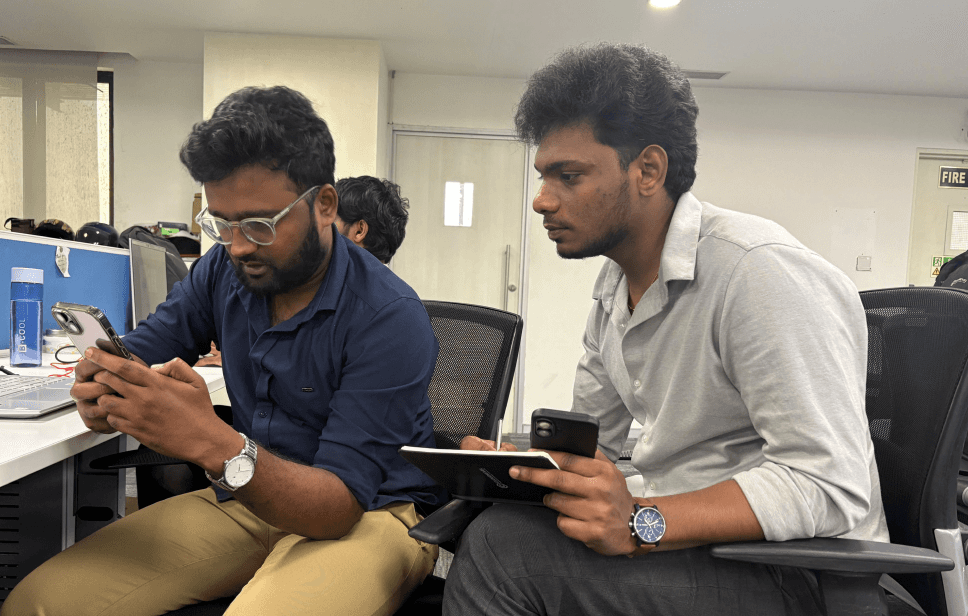
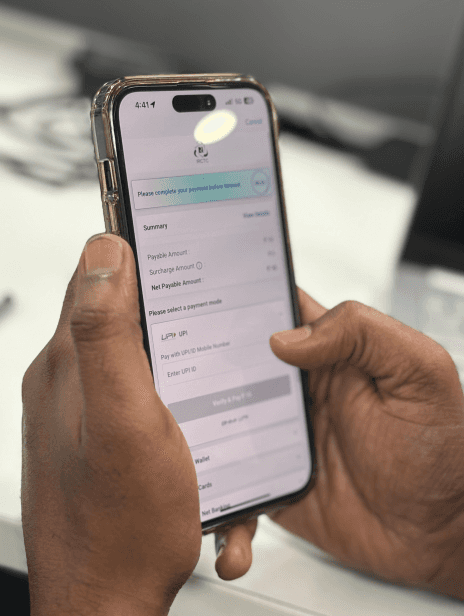
Highlight pain points and challenges:
Users
Task
Completed Task
Total Errors
Avr. Time
Ratings
Observation
Out of 8 Users
Login (OTP)
100%
3
1.13s
3.1/5
“Users found passwords difficult and preferred OTPs as a faster, more convenient option, especially during travel.”
Out of 8 Users
Register
100%
6
1.28
3.8/5
“Users found the registration flow long and frustrating, questioning the need for details like Date of Birth on unreserved tickets and struggling with small mobile input fields. These issues slowed them down and created friction at the very first step.”
Out of 8 Users
Book Ticket
88.5%
13
3.17s
2.8/5
“New and experienced users struggled with ticket booking due to GPS errors, confusing CTAs, and the need to backtrack to change destinations, making the process slow and tiring.”
Out of 7 Users
Season Ticket (Monthy Pass)
100%
3
2.27s
3.7/5
“Users struggled to book a monthly pass, facing unclear station names, a tricky wallet step, and unnecessary fields that slowed the flow.”
Out of 8 Users
Recharge Wallet
88.5%
1
2.28s
3.5/5
“Users grew frustrated with wallet recharge as the slow, cluttered payment screen made options unclear, turning a simple task into a time‑consuming one.”
Primary Research (User Interviews)
Finally, I spoke directly with commuters to understand their frustrations and unmet needs in their own words.
Key Pain Points Identified During User Interviews
Many users faced frequent GPS location errors that made them miss their boarding stations or trains, causing frustration and lack of trust in the app.
Many users found it hard to identify station names and complete the ticket booking process efficiently.
The wallet recharge and ticket booking payment screens looked cluttered and confusing. Users found it hard to understand and took more time to complete transactions.
Daily users—especially those using the app for showing tickets and passes—found it annoying that the app logs them out frequently, disrupting their regular usage.
The overall app experience felt slow, with delays at every stage—from login to booking—making the process time-consuming.
A few users preferred OTP-based login as it felt faster and simpler. They found password-based login unnecessary and time-consuming for daily usage.
User
Journey
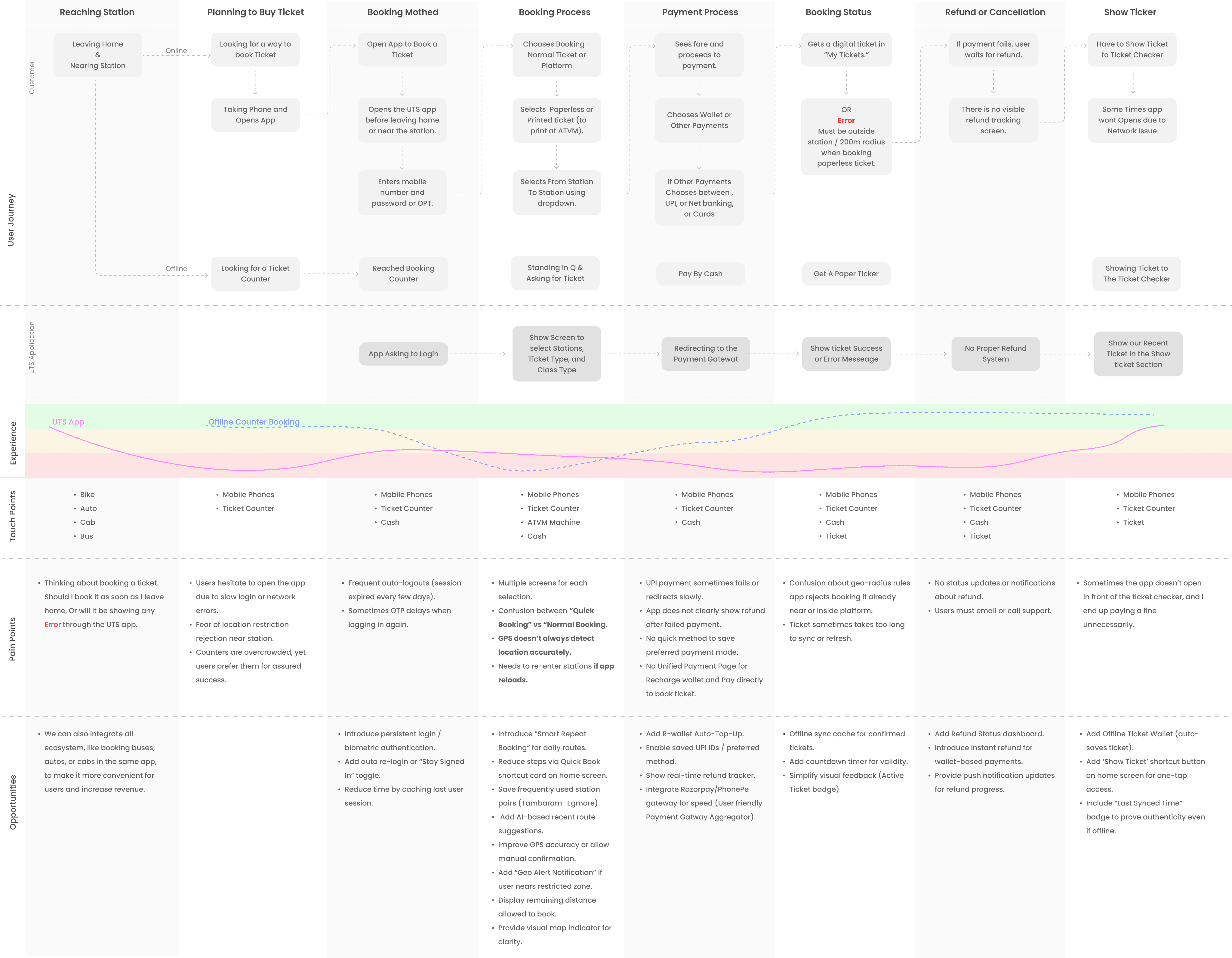
Complete user journey of daily local Train commuters in the existing service of UTS
Major Problems
Identified
The major problems identified from both secondary and primary research, as well as usability testing, are:
Users were frustrated by GPS restrictions that wrongly showed them near the track, preventing timely ticket booking and causing missed trains.
The app’s main purpose is to show tickets, but daily auto‑logouts force users to re‑login for every purchase or check. This slows the process, frustrates users, and is particularly worse in poor network areas.
The messy payment section confuses users, making it hard to choose methods and causing delays, errors, and frustration during recharge or booking.
Commuters reported losing money when fares were deducted but tickets weren’t issued. Refunds often failed, leaving some fined despite proof of payment and creating serious trust issues with the app.
How These Problems
Affect The Indian Railways ticketing Business
Users avoid using the app and continue buying tickets at counters, reducing the goal of digital transformation.
Failed payments and refund issues directly lead to financial loss and reduced user trust in online booking.
Frequent logouts, GPS errors, and poor performance push daily commuters to stop using the app.
Slow, confusing, and unreliable experience damages the credibility of Indian Railways’ digital services.
More people using physical counters adds extra load on staff and resources meant to be reduced through the app. (Still, the goal of launching this application has not been achieved yet.)
Issues Which
New Design has to Address
Key
“How Might We” Questions"
These are based on your earlier pain points:
How might we allow users to book tickets even near the station without enabling fraud?
How might we simplify the wallet recharge and payment flow to reduce drop-offs?
How might we make login and ticket access faster and more secure for daily users?
How might we ensure users can access their ticket offline anytime?
How might we make refunds automatic and transparent to rebuild trust?
Idea
Generation
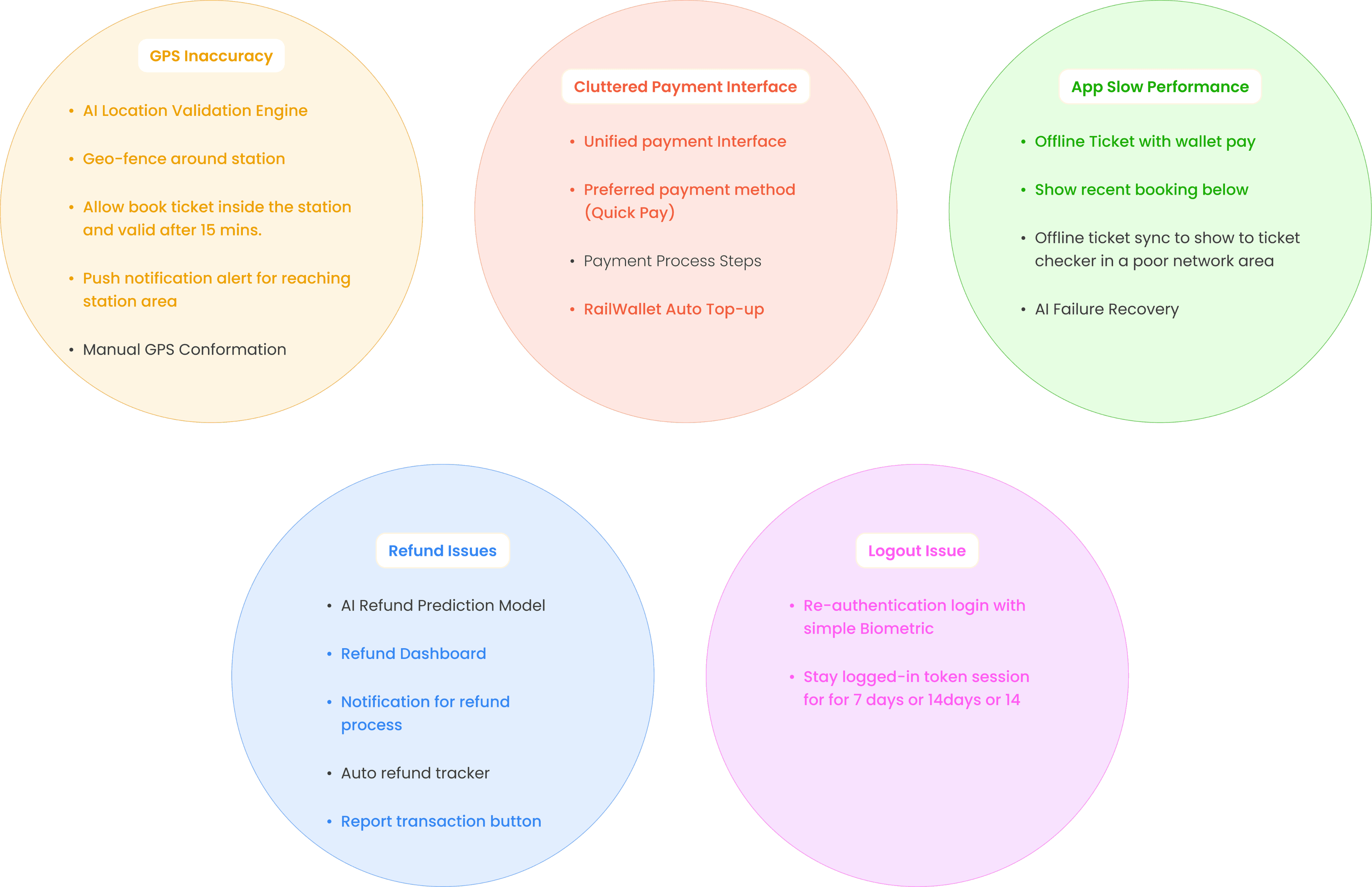
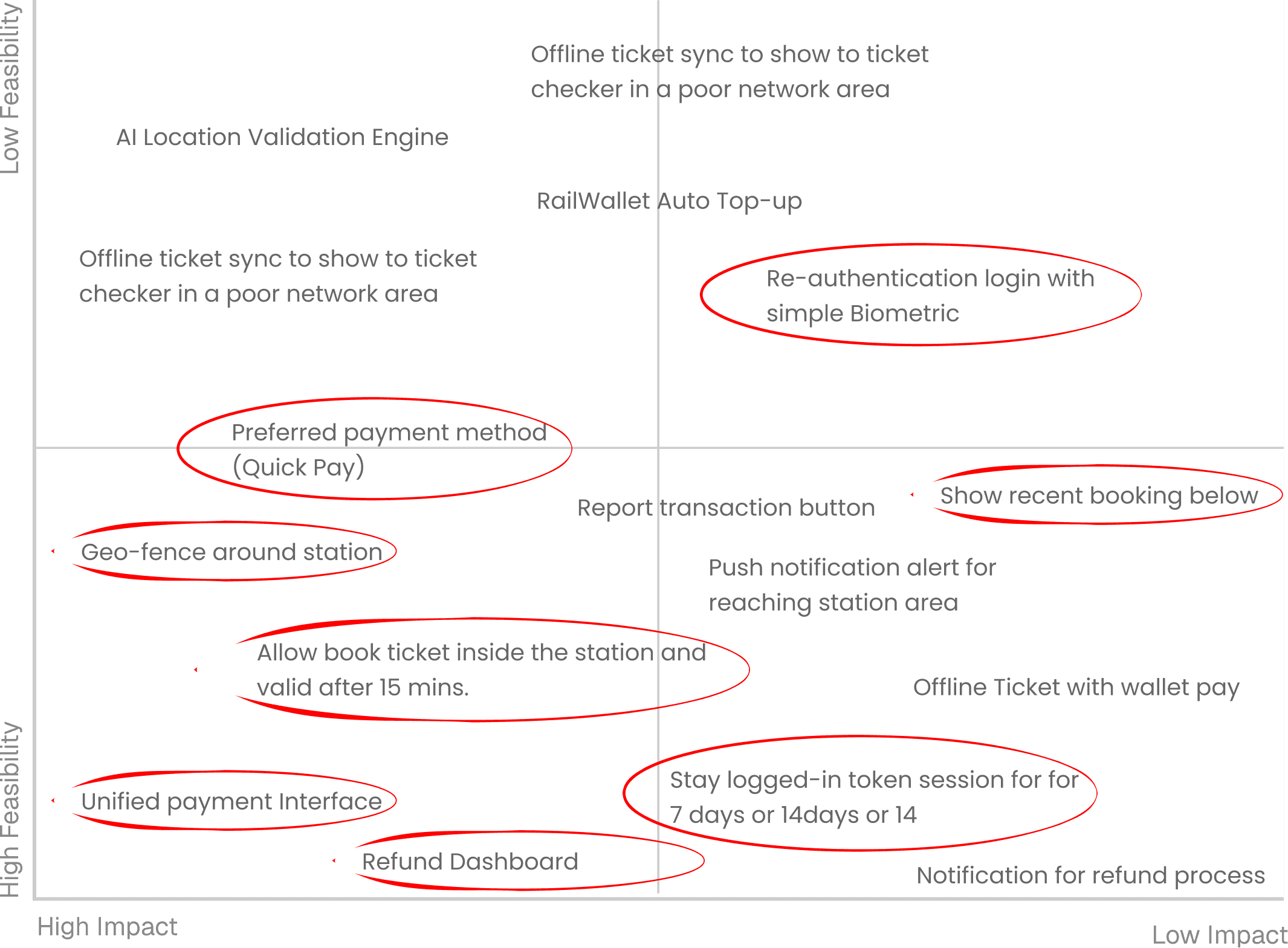
Based on user insights and usability findings, I focused on five key problem areas that caused maximum friction in the UTS app experience. For each problem, I explored multiple possible solutions through brainstorming and design workshops.
Prioritization
Matrix
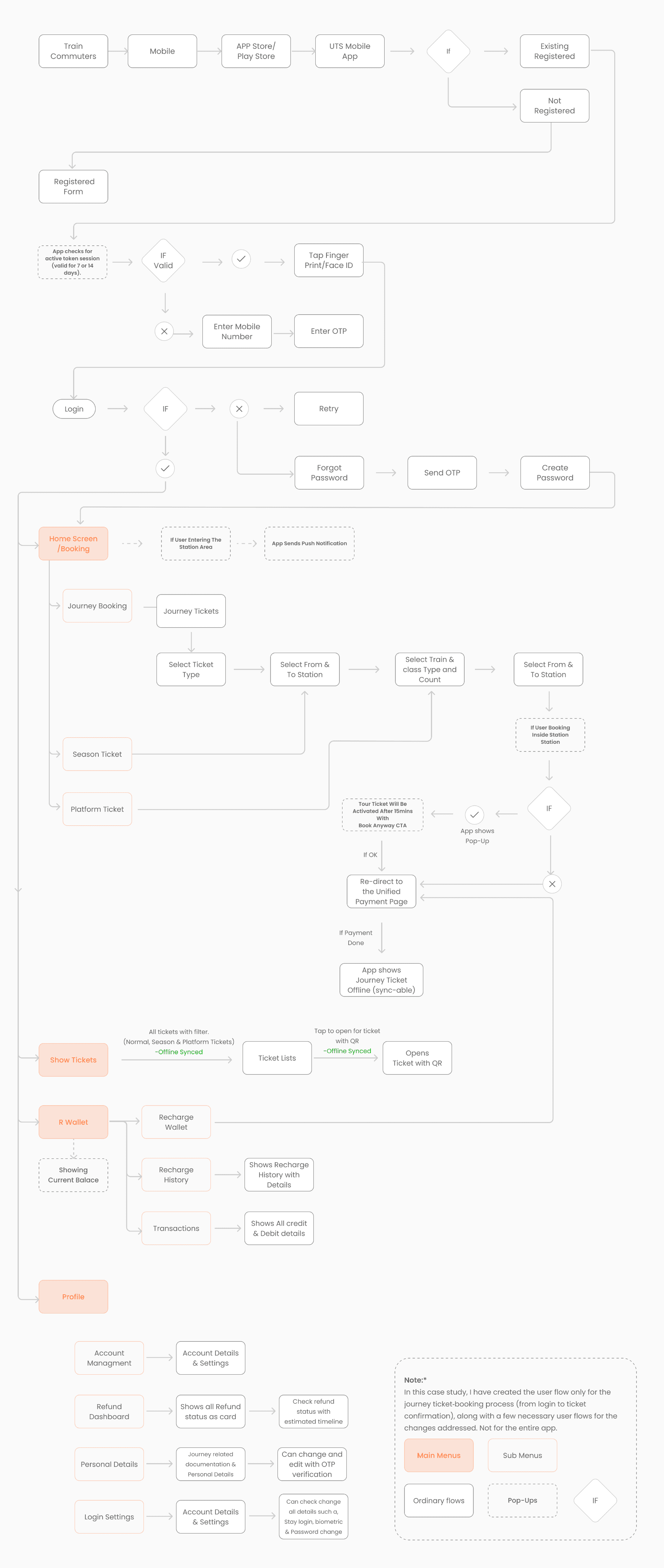
User
Flow
UI
Solution
Based on real commuter pain points and the opportunity areas discovered during research and usability testing, I redesigned key parts of the UTS experience to make ticket booking faster, more reliable, and more intuitive for daily users. Each screen below directly solves a real problem and improves both user convenience and operational efficiency for Indian Railways.
Frictionless login with biometrics and 7-day session reduces daily frustration and speeds up ticket booking for commuters.
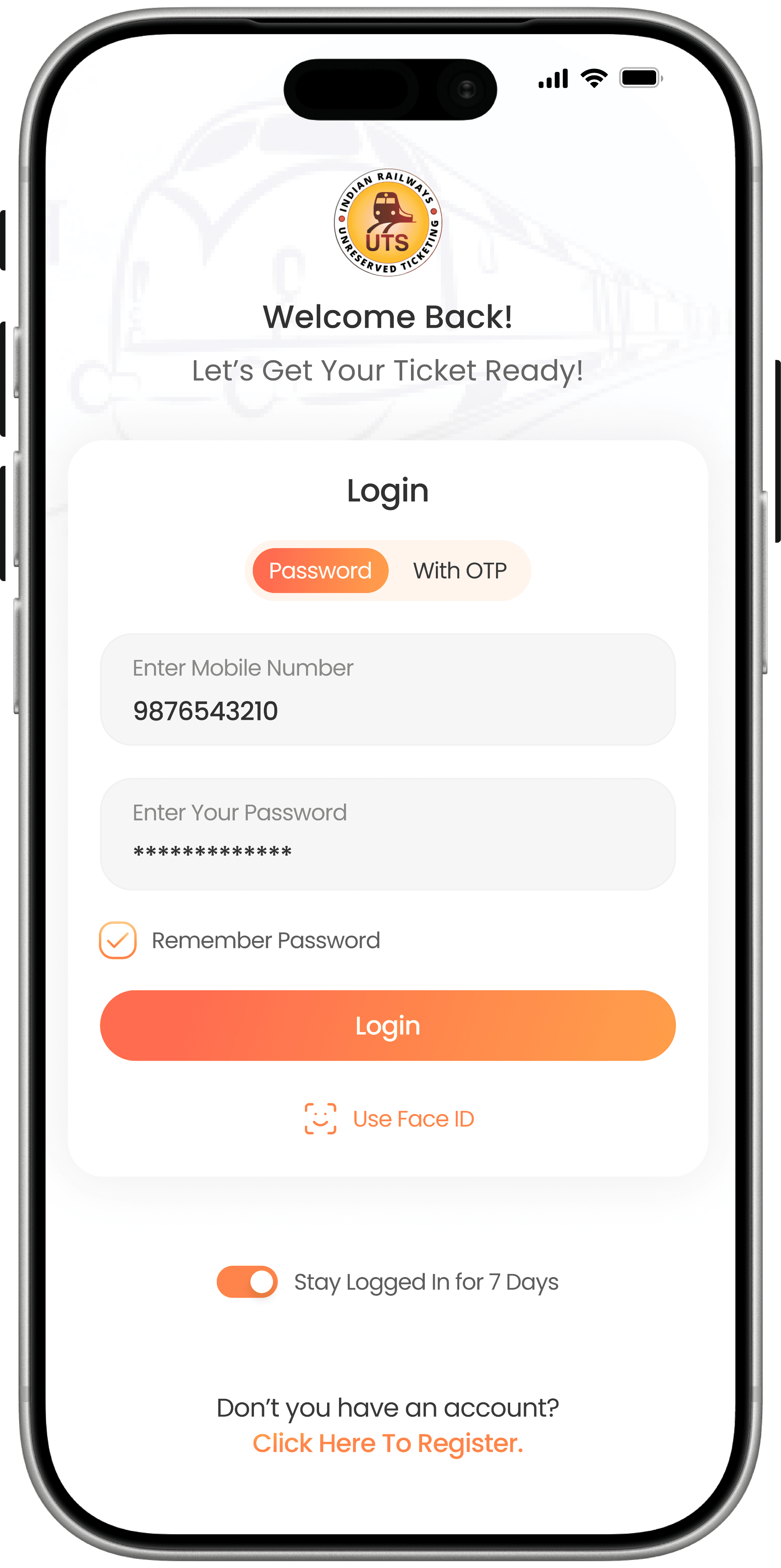

Password login
OTP login
Biometric (Face ID / Fingerprint)
Stay Logged In for 7 Days toggle
Faster daily app access
Higher adoption
A smart home screen that predicts user intent, supports quick rebook, and proactively warns users near restricted zones.
Users struggle to navigate the app.
No guidance when entering non-booking zones.
Rebooking daily tickets takes too long.
New users get confused with too many options.
Quick ticket type options
Recent bookings → Quick Rebook
Geo-aware notifications
You’re near the station — book now
Inside station — ticket will activate in 15 mins
Reduces booking errors
More digital ticket use
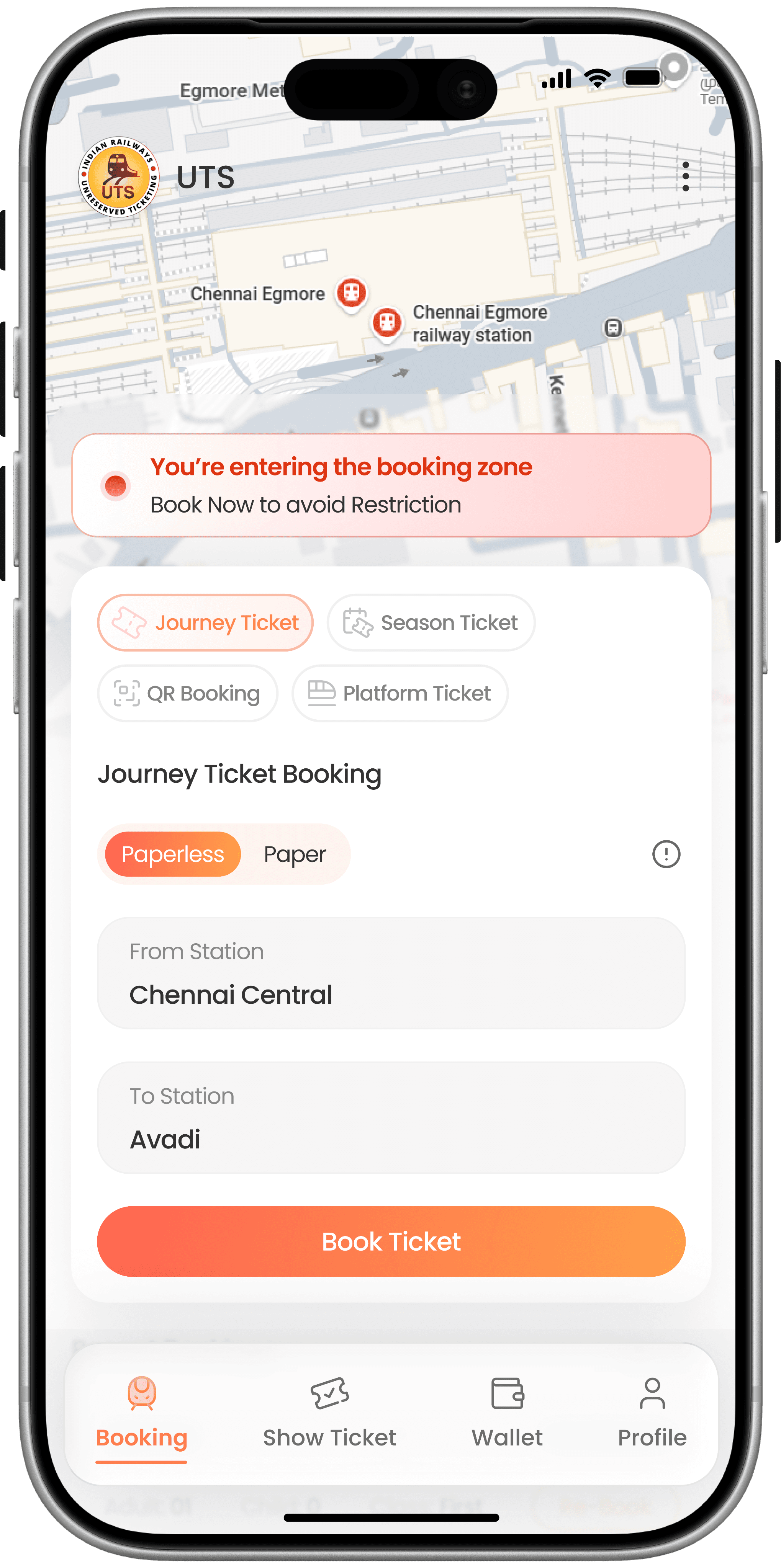
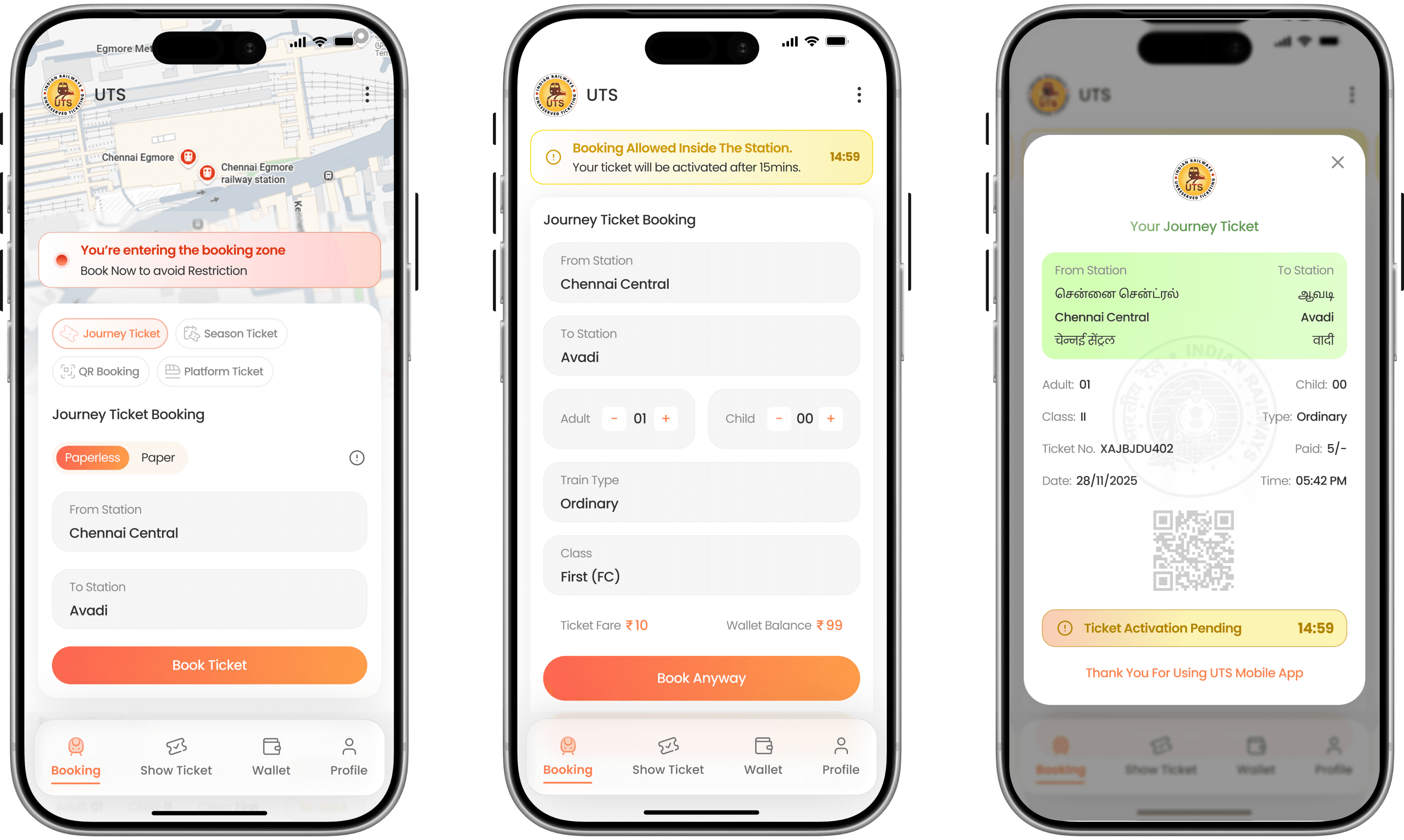
A clear, structured booking screen eliminates confusion and adds transparency during in-station bookings.
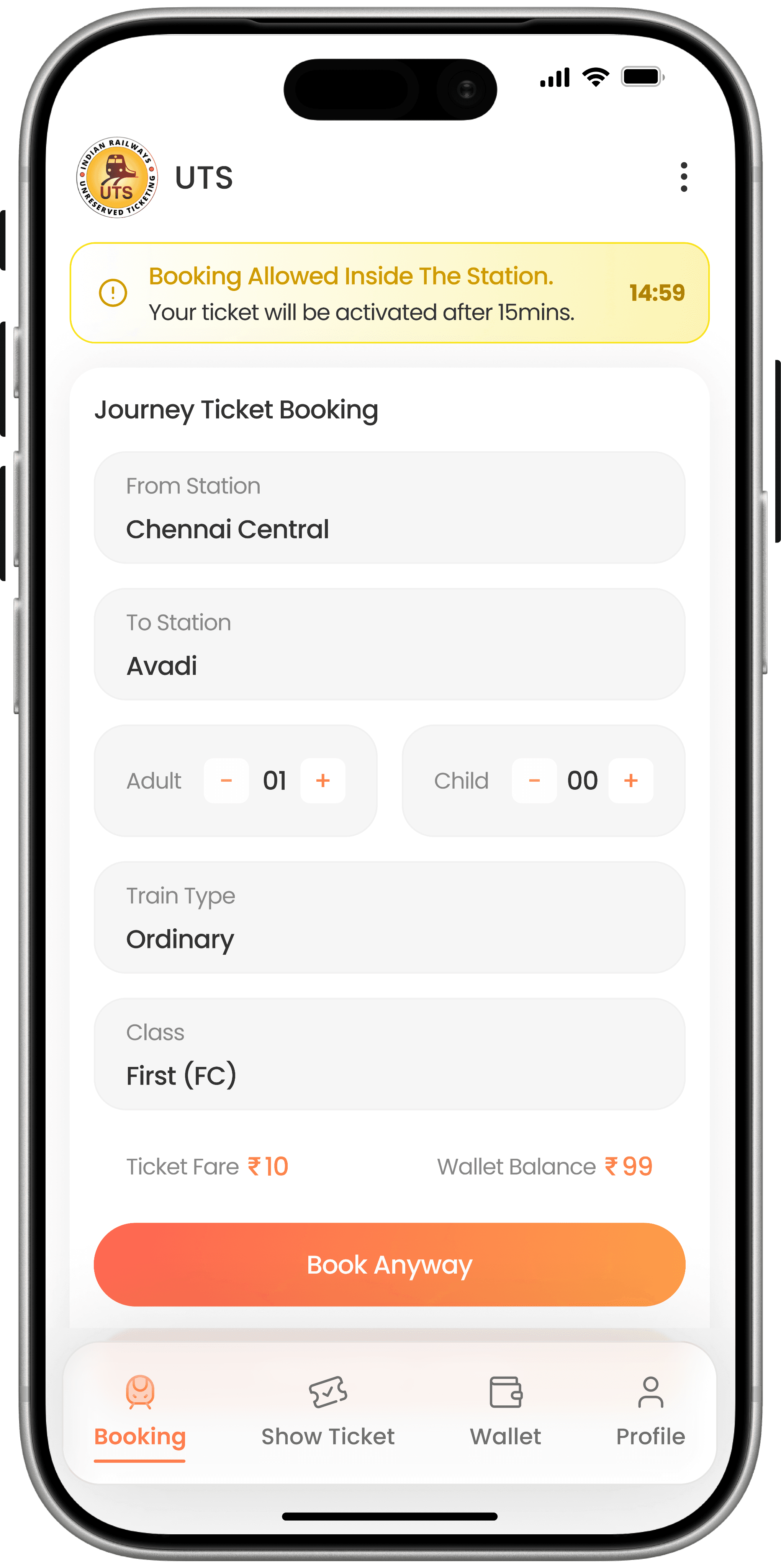
Users confused between station fields, ticket types, fares.
Booking inside station leads to rejection and frustration.
No clarity on wallet balance or total fare.
Clear From–To station selection
Ticket type, class type, passenger count
Total fare + wallet balance
Inside Station Warning
Low refund requests
Builds trust & reliability
A transparent confirmation modal builds trust by clearly explaining in-station booking rules before users proceed.
Users don’t understand why booking inside stations behaves differently.
Sudden restrictions feel like system errors or bugs.
Lack of explanation leads to complaints and mistrust.
Clear modal explaining in-station booking rule
Explicit mention of 15-minute activation delay
User-controlled choice with “Book Anyway” CTA
Reduces confusion
Improve fraud prevention
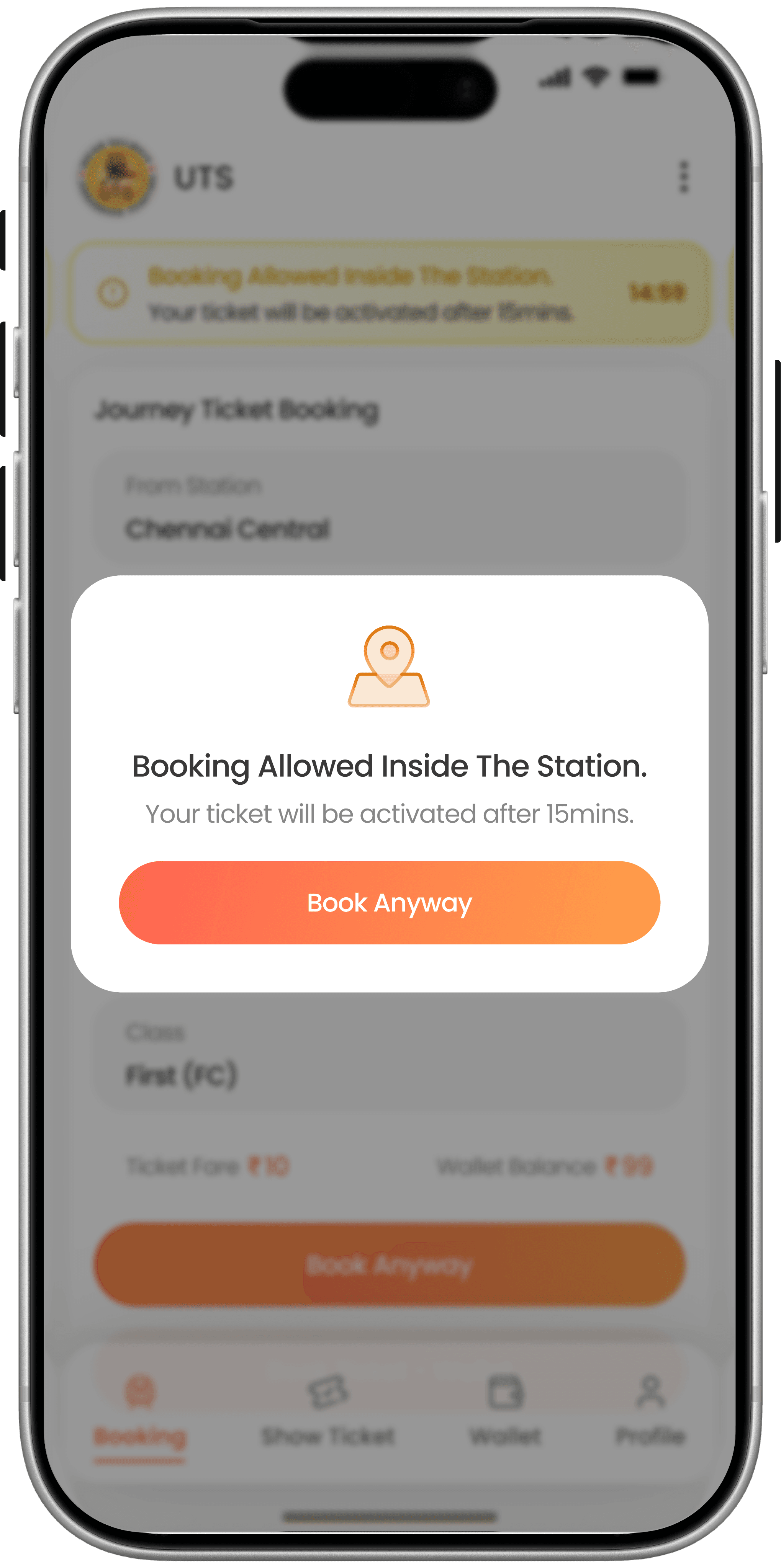
A transparent confirmation modal builds trust by clearly explaining in-station booking rules before users proceed.
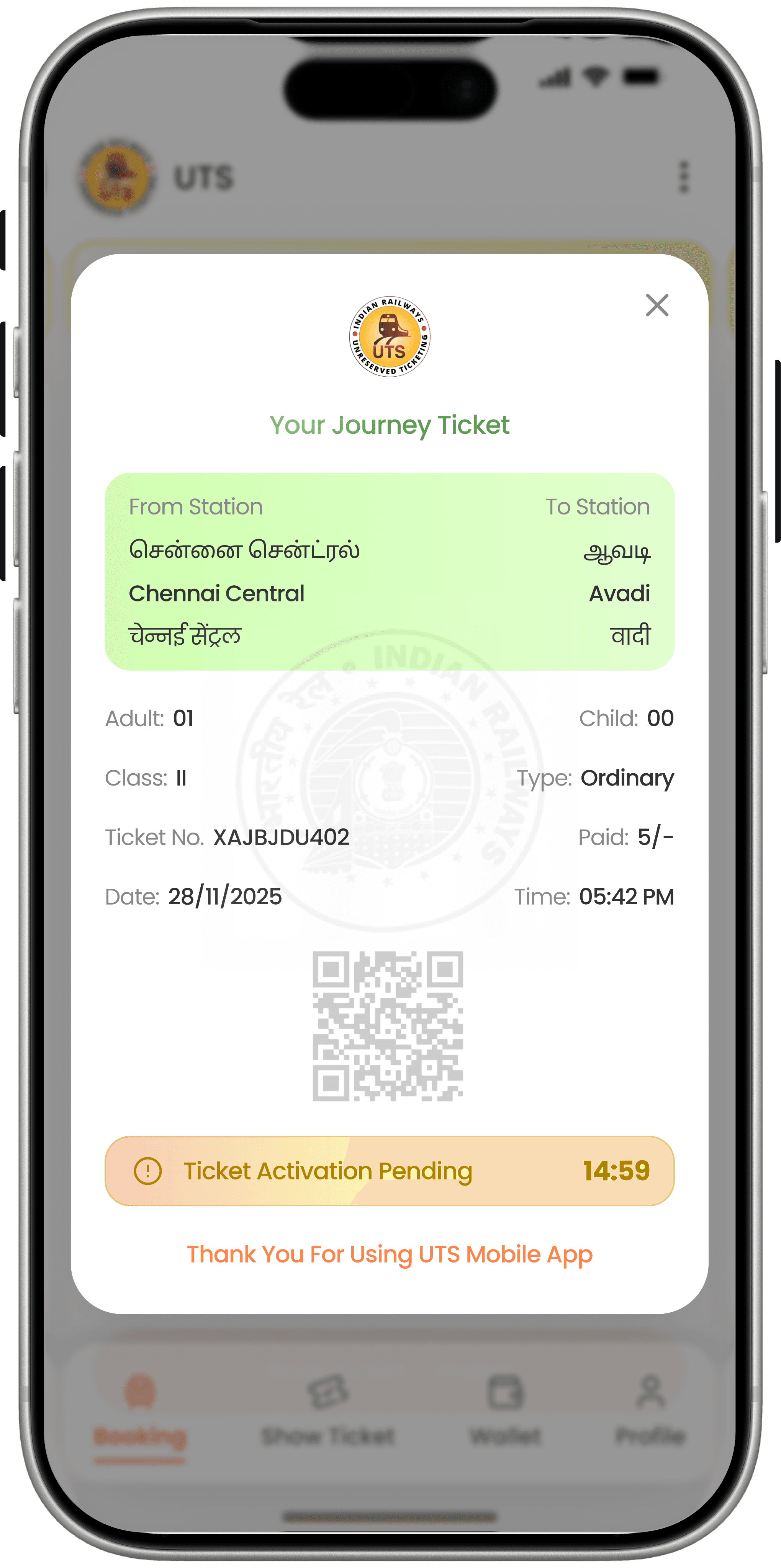
User cannot book tye ticket inside the station or track area.
The GPS always shows inaccurate results and says, ‘You are inside the station area, please move 20 meters away,’ even when I am already outside the station.
Clear “Ticket Activation Pending” status
Live countdown timer (15 mins → 0)
Disabled QR code with explanation
Visual confirmation that booking is successful`
Reduces confusion
Improve fraud prevention
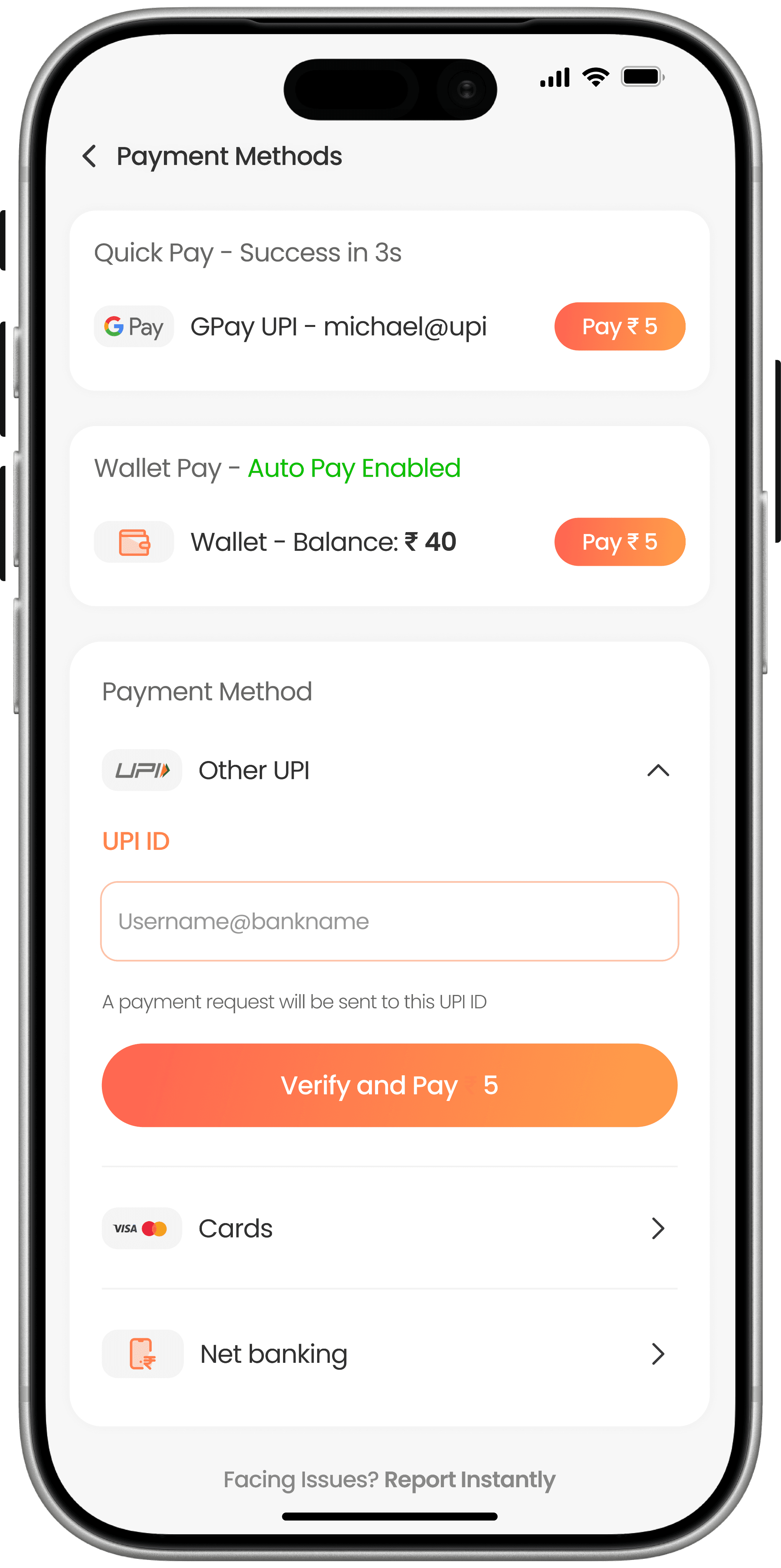
A single unified payment interface speeds up checkout and reduces confusion for daily commuters.
Payment pages were cluttered, inconsistent, confusing.
Wallet recharge and ticket payment felt disconnected.
Users didn’t know which method was faster.
One unified payment interface for everything
Quick Pay (Preferred Payment)
All payment options in one screen
Clear CTA
Wallet recharge integrated into same flow
Higher payment success rate
Reduced drop-offs
A clear, structured booking screen eliminates confusion and adds transparency during in-station bookings.
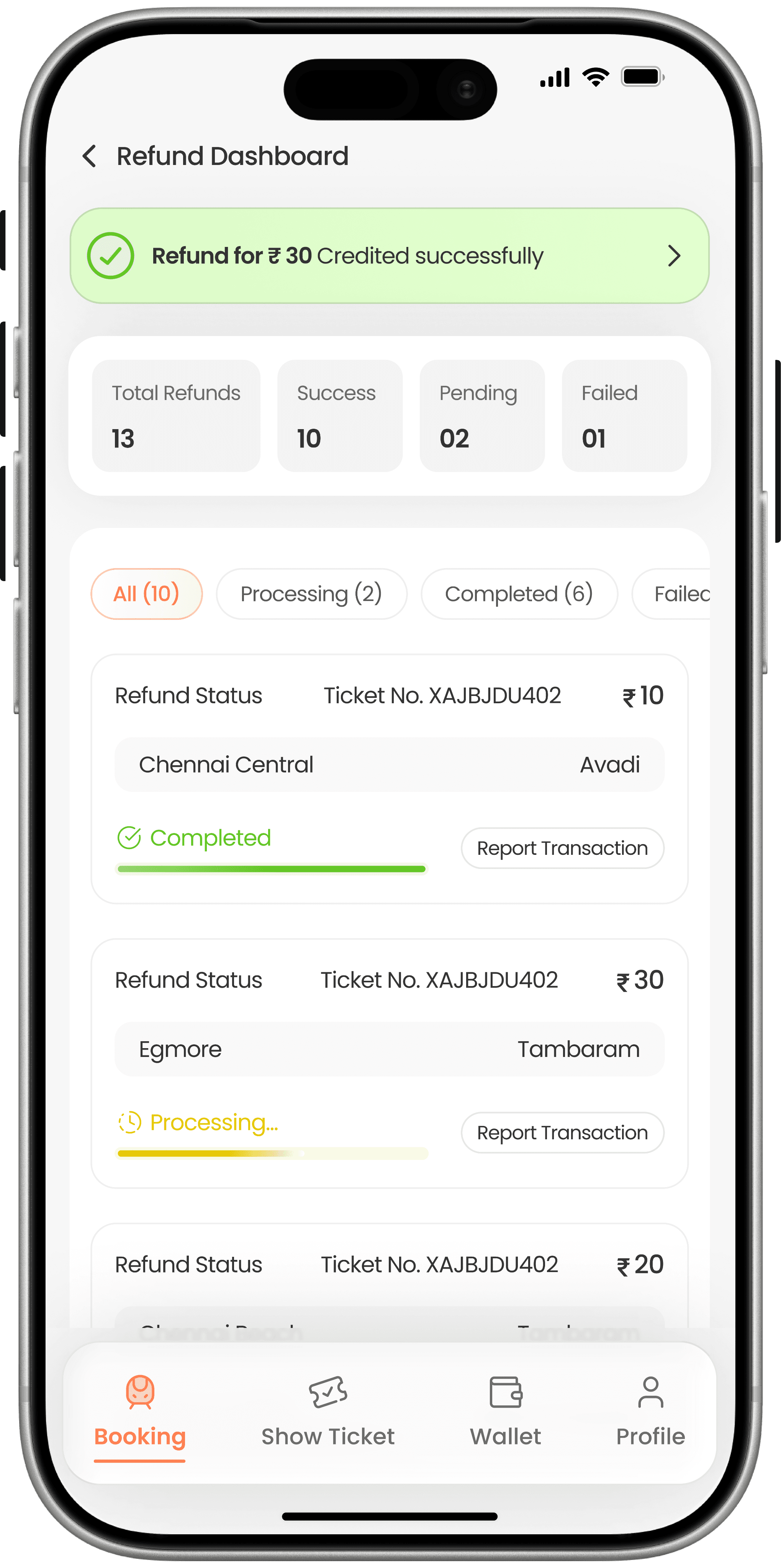
Users lost money with no clarity on refund status.
No complaint or tracking mechanism existed.
Recent refund notifications
Filter by Pending / Success / Failed
Dedicated dashboard under Wallet
Each refund shows status label
Rebuilds trust
Reduces customer frustration
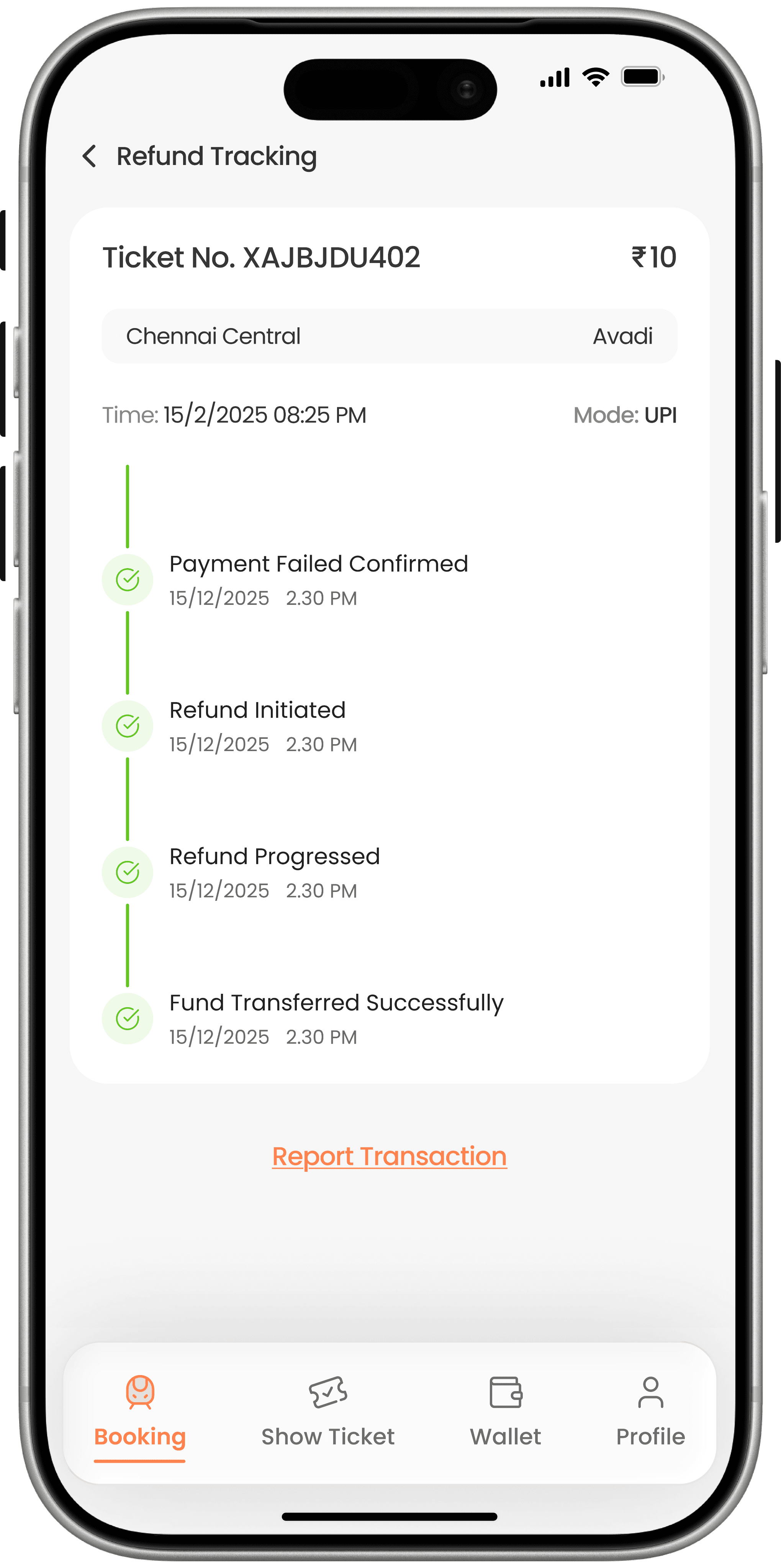
A step-by-step refund progress tracker gives users complete clarity and control over their transactions.
Users had no way to report issues.
Refund failures caused severe user dissatisfaction.
Detailed ticket + transaction info
Visual refund timeline
Report Transaction button
Expected refund time
Reduces escalations
Builds reliability
Proactive geo-notifications guide users before problems occur, reducing booking failures and confusion.
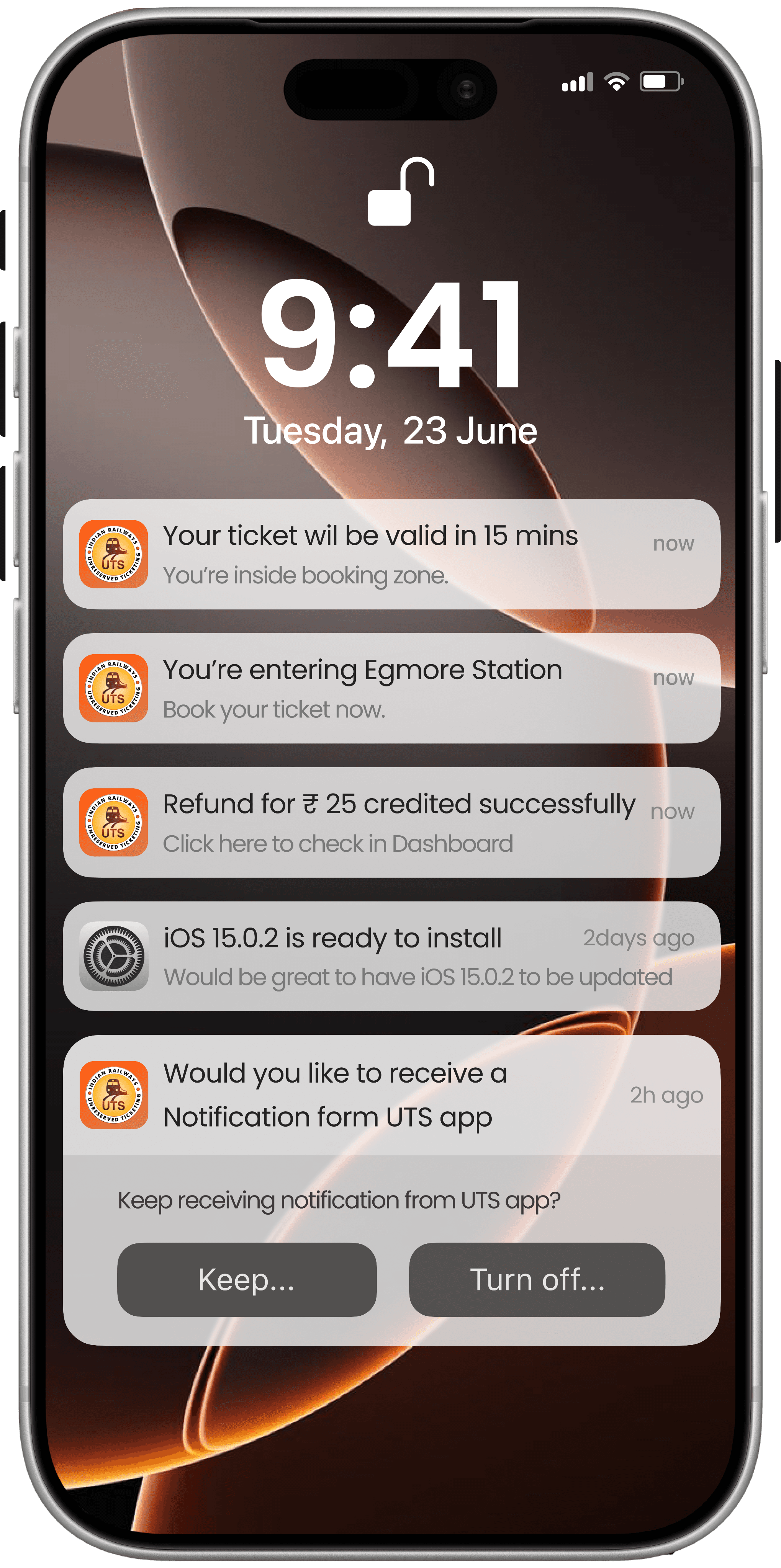
Users unknowingly enter station or non-booking zones and face sudden booking failures.
No advance warning creates panic, especially during peak travel hours.
Users don’t understand when and where they should book - tickets.
Geo-triggered push notifications
Early warning when entering station area
Clear guidance when booking inside the station
Reduced user frustration and drop-offs
Higher successful
Usability
Testing
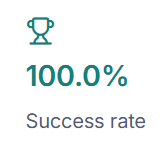
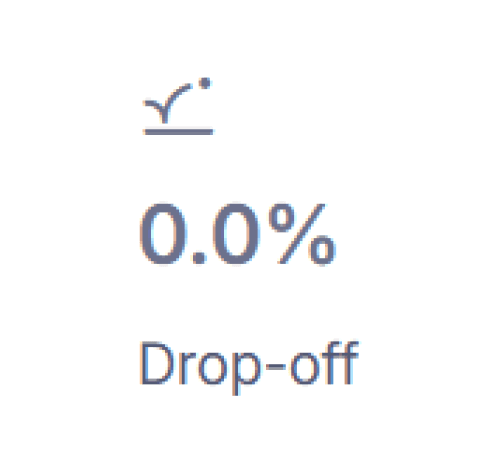
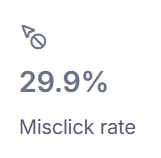
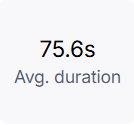
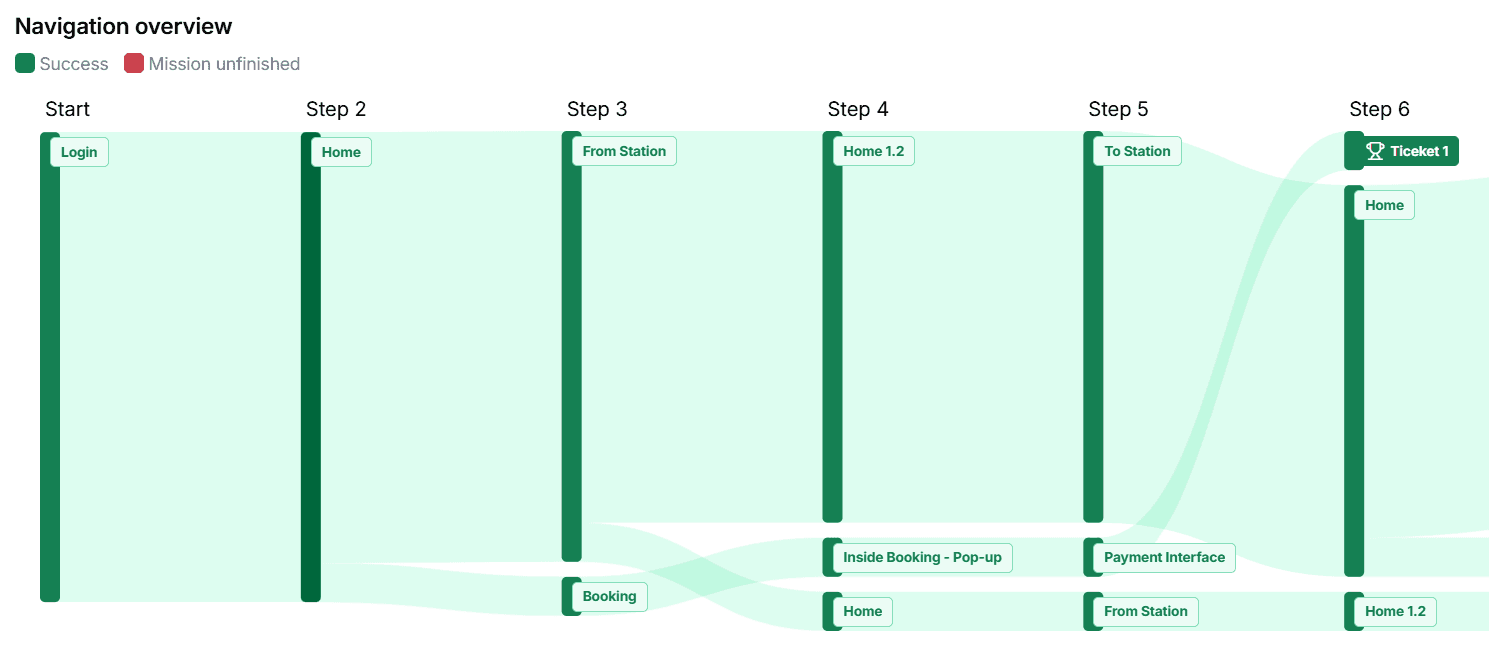
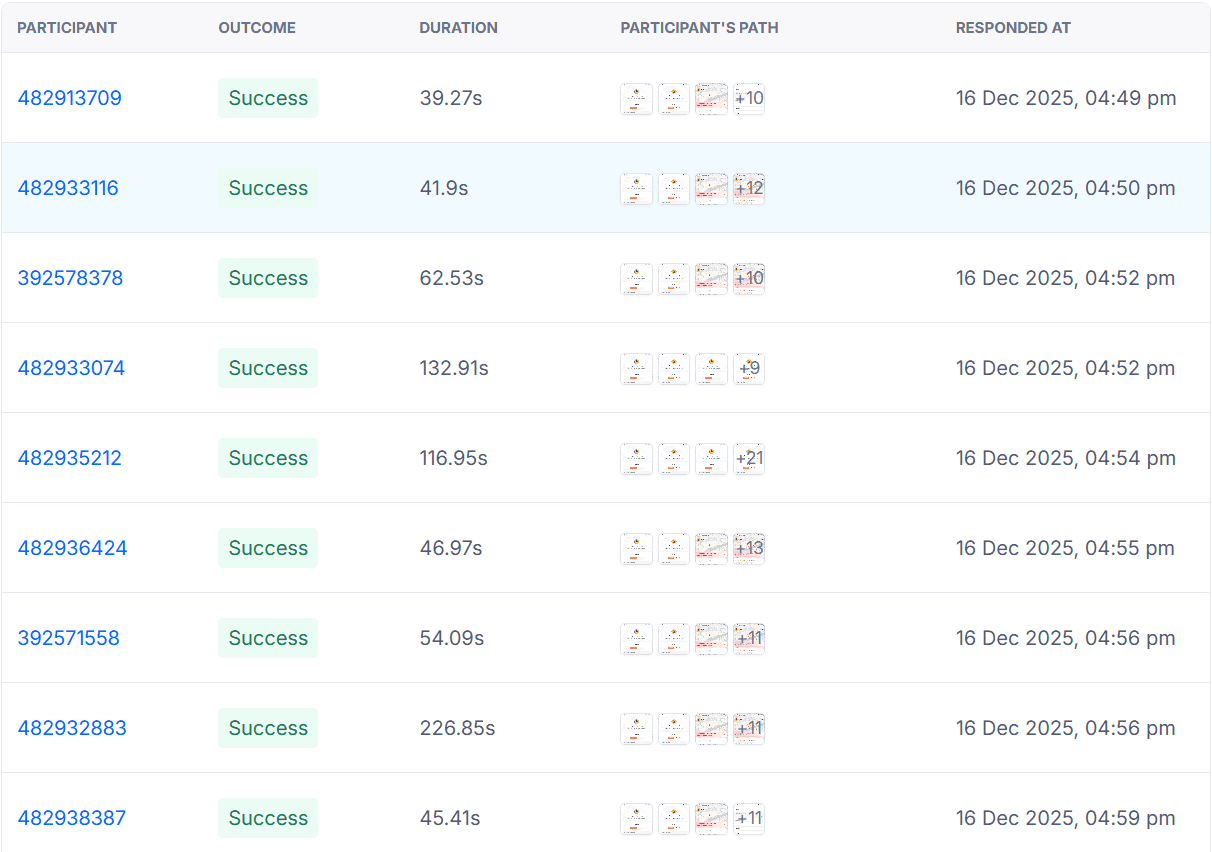
To validate whether the redesigned UTS flow actually improves usability, I conducted a light usability test using Maze with 12 participants. The goal was to test a core journey that most commuters use daily — from login to ticket booking and showing the ticket.